
What is a Good YouTube CTR? (2026 Benchmarks & Complete Guide)
Discover what a good YouTube click-through rate (CTR) is in 2026. Official YouTube benchmarks, CTR data by niche and traffic source, and proven ways to boost clicks.
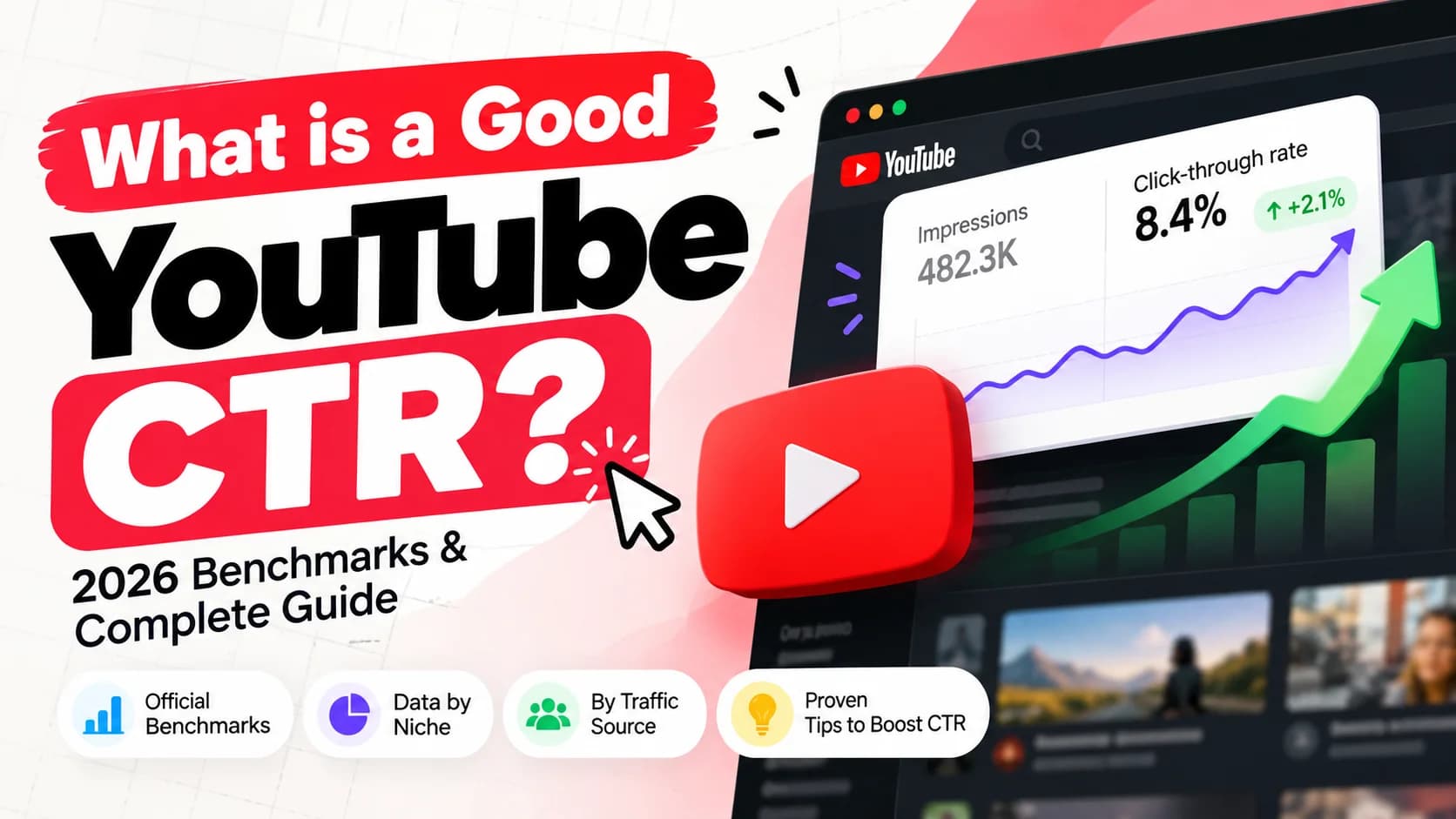
Every creator who opens YouTube Studio eventually stares at the same metric: Impressions click-through rate (CTR). You see a number like 4.2% or 8.7%, and the immediate question follows — is that good, bad, or completely ordinary?
Understanding your YouTube CTR is the difference between blindly guessing what thumbnails work and knowing exactly how to package videos that get recommended. But a "good" CTR is never a single static number; it depends on your traffic source, your video's reach, your niche, and whether the YouTube algorithm is currently testing your content with a brand-new audience.
TL;DR: According to YouTube's official documentation, half of all channels and videos on the platform have an impressions CTR between 2% and 10%. A CTR between 4% and 7% represents the broad platform average, while anything above 10% is exceptionally high. However, CTR naturally compresses as your video earns broader impressions in Browse and Suggested feeds.
Key Takeaways
- YouTube's official baseline states that 50% of all videos sit within a 2% to 10% CTR range.
- A CTR of 4%–7% is standard for broad Browse and Home feed traffic, while Search traffic frequently tops 10%–15%+.
- A dropping CTR is often a positive signal: as YouTube tests your video with wider audiences, impressions spike and CTR compresses while total views rise.
- High CTR is worthless without retention — YouTube prioritizes Total Watch Time Minutes over raw clicks to prevent clickbait.
- You can systematically increase CTR by applying tested formulas, obeying mobile safe zones, and running split tests.
What Is YouTube CTR (Click-Through Rate)?
YouTube CTR (Click-Through Rate) is the percentage of viewers who clicked and watched a video after seeing its thumbnail and title anywhere on the platform.
The metric is calculated using a straightforward formula:
CTR (%) = (Total Clicks ÷ Total Registered Impressions) × 100
For example, if your video thumbnail appears on screens 10,000 times (impressions) and generates 600 views (clicks), your CTR is exactly 6.0%.
What Counts as an "Impression" on YouTube?
Not every appearance of your video thumbnail counts as an impression. YouTube enforces strict quality criteria before logging an impression in your analytics:
- Duration: The thumbnail must be visible on the viewer's screen for at least 1 full second.
- Surface Area: At least 50% of the thumbnail must be visible within the viewport.
- Eligible Surfaces: YouTube Search results, Home feed (Browse), Suggested videos (sidebar and up next), Subscriptions feed, and Trending/Explore.
What Does NOT Count as an Impression?
- External website embeds or links shared on Twitter/X, Discord, or Reddit.
- Mobile push notifications and email digests.
- YouTube Shorts feed swipes (Shorts views are tracked via the separate "Shown in feed" metric).
- End screen cards and info cards within videos.
Official YouTube Benchmarks: What Does YouTube Consider "Good"?
YouTube Creator Academy and YouTube Studio documentation provide an official baseline for creator performance:
"Half of all channels and videos on YouTube have an impressions CTR that can range between 2% and 10%."
This means if your video falls anywhere within that bracket, you are in the company of the majority of active creators. However, treating 2% and 10% as equivalent hides crucial nuance. Here is how that spectrum actually breaks down in practice:
| CTR Range | Performance Tier | What It Means |
|---|---|---|
| Below 2% | Underperforming | Packaging bottleneck. Your thumbnail and title fail to generate curiosity or relevance against competing videos. |
| 2% – 4% | Average / Broad Reach | Typical for videos receiving heavy Browse and Home feed distribution to cold audiences. |
| 4% – 7% | Solid / Platform Standard | Healthy engagement across established subscriber bases and consistent Suggested traffic. |
| 7% – 10% | Above Average | Strong packaging. High audience relevance, compelling visual contrast, and clear value proposition. |
| Above 10% | Exceptional | Outstanding performance. Common on high-intent Search queries, viral breakout topics, or early subscriber waves. |
The First 24–48 Hours vs. Long-Term CTR
When you first publish a video, your CTR is usually artificially high (often 8%–15%) because YouTube initially shows it to your most loyal subscribers and notification recipients. As the algorithm pushes the video out to broader audiences who do not know you, your CTR will naturally decline toward your evergreen average.
YouTube CTR Benchmarks by Traffic Source
You cannot evaluate your CTR without segmenting by traffic source. Comparing your Search CTR to your Browse CTR is like comparing apples to airplanes.
Here is how typical 2026 CTR numbers vary across YouTube's main discovery channels:
| Traffic Source | Average CTR | Viewer Intent | Why the CTR Behaves This Way |
|---|---|---|---|
| YouTube Search | 8% – 15%+ | High / Intentional | The viewer typed an exact query looking for a solution. If your thumbnail answers their question directly, they click. |
| Suggested Videos | 4% – 8% | Medium / Related | The viewer is watching another video. Your thumbnail must pull their attention away from what they are currently enjoying. |
| Browse / Home Feed | 2.5% – 6% | Low / Passive | The viewer is casually scrolling through dozens of options. You are competing against every topic and creator they follow. |
| Channel Page | 6% – 12% | High / Brand-focused | The viewer is already on your channel and actively looking through your catalog to find their next watch. |
| Notifications | 12% – 25%+ | Maximum / Dedicated | Your core audience turned on the bell because they love your content. They recognize your style instantly. |
Source: Aggregated 2026 YouTube Studio analytics across creator niches.
If you want to see what high-ranking search thumbnails look like compared to high-CTR browse thumbnails, you can inspect their high-res designs using our free YouTube Thumbnail Downloader.
YouTube CTR Benchmarks by Niche
Your content category has a massive impact on your expected CTR. Niches with younger audiences, intense emotional hooks, and high-energy thumbnails (like Gaming and Entertainment) naturally maintain higher baseline click rates than technical or analytical niches (like Finance and Programming).
Here are the typical benchmark ranges by niche across the platform:
| Niche | Average CTR Range | Typical High Performers | Key Factors Influencing CTR |
|---|---|---|---|
| Gaming | 7.5% – 10.5% | 12%+ | Bright saturated graphics, facecam reactions, in-game drama, bold contrast. |
| Tech & Gadgets | 6.0% – 8.5% | 10%+ | High curiosity gaps, side-by-side hardware comparisons, clean typography. |
| Fitness & Health | 5.5% – 8.0% | 9.5%+ | Before-and-after transformations, anatomy highlights, physical demonstration. |
| Entertainment & Comedy | 5.5% – 7.5% | 9%+ | Extreme scenarios, high emotional faces, story-driven visual stakes. |
| How-To & Education | 4.5% – 7.0% | 8.5%+ | Direct problem solving, search-driven clarity, step-by-step teasers. |
| Personal Finance & Business | 3.5% – 5.5% | 7%+ | Specific dollar figures, charts, economic intrigue, professional credibility. |
| Travel & Lifestyle Vlogs | 4.0% – 6.5% | 8%+ | Breathtaking landscapes, cultural curiosity, genuine traveler expressions. |
| Music & Art | 3.0% – 5.0% | 6.5%+ | Album art, stylized aesthetics, title-heavy branding. |
If you create content in a technical niche like coding or finance, do not panic if your CTR is 4.5%. That is often healthy performance in an industry where viewers expect precision rather than sensationalism.
The "Impressions Paradox": Why a Dropping CTR Can Mean Success
One of the most counterintuitive aspects of YouTube growth is what experienced creators call the Impressions Paradox.
Here is a common scenario:
- You publish a video. In the first 6 hours, it gets 2,000 impressions with an impressive 9.2% CTR.
- YouTube's recommendation system notices the strong early engagement and decides to promote the video.
- Over the next 48 hours, impressions surge to 250,000 as the video hits the Home feed of casual viewers.
- Your overall CTR drops to 4.1%.
Many creators panic when they see their CTR plummet from 9.2% down to 4.1%. But in reality, your video just went viral relative to your channel!
Audience Expansion Funnel:

[Core Subscribers & Loyalists]    --> High CTR (8% - 15%)   --> Low Impressions (1k - 5k)
          │
          ▼
[Related Suggested Viewers]       --> Moderate CTR (5% - 7%) --> Medium Impressions (20k - 50k)
          │
          ▼
[Broad Browse & Home Feed]        --> Lower CTR (3% - 4.5%)  --> Massive Impressions (200k - 1M+)
When YouTube tests your video with a broader, colder audience, fewer people will naturally be interested in your specific topic. A lower percentage of a massive number of impressions produces vastly more total views than a high percentage of a tiny subscriber pool.
Rule of thumb: Do not look at CTR in isolation. Always evaluate CTR alongside total Impressions and Total Views.
CTR vs. Average View Duration (AVD): The Algorithmic Balancing Act
Click-through rate is only half of YouTube's core recommendation equation. The other half is Viewer Retention (Average View Duration and Average Percentage Viewed).
YouTube's algorithm does not reward clicks alone. If you design an exaggerated thumbnail that earns a 14% CTR, but viewers realize the video does not deliver on the promise and click away after 15 seconds, YouTube will aggressively suppress the video.
Algorithmic Success Formula = High CTR × High Average View Duration (AVD)
| Thumbnail & Content Alignment | CTR | Retention | Resulting Algorithmic Push |
|---|---|---|---|
| Clickbait / False Promise | High (10%+) | Low (under 20%) | Suppressed: YouTube recognizes viewer dissatisfaction and stops recommending. |
| Boring Packaging / Great Video | Low (under 3%) | High (over 60%) | Stalled: Fantastic content that nobody clicks. YouTube cannot find an audience. |
| Weak Packaging / Weak Video | Low (under 2%) | Low (under 25%) | Dead on Arrival: Neither viewers nor the algorithm engage. |
| Accurate Hype / Great Video | Strong (6%–9%) | Strong (over 50%) | Algorithmic Rocket: High initial clicks paired with sustained watch time triggers massive browse recommendations. |
Your thumbnail and title set the expectation, and your video's first 30 seconds must validate that expectation immediately.
5 Proven Strategies to Improve Your YouTube CTR in 2026
If your CTR is lagging below 3%–4% and you want to lift it into the 6%–10% tier, focus on these five proven packaging principles:
1. Apply Tested Thumbnail Formulas
Do not reinvent the wheel for every upload. The biggest creators on the platform rely on repeatable visual structures like the Expressive Face, the Before & After Transformation, the Curiosity Gap, and the Visual Isolation.
Read our comprehensive breakdown of the 10 YouTube Thumbnail Formulas That Actually Get Clicks to learn how to structure your visuals for maximum emotional impact.
2. Follow the 3-Word Rule
A thumbnail is not a billboard. Viewers scan thumbnails in less than 400 milliseconds. If you put 8 to 12 words of text on your image, mobile viewers will scroll right past it.
- Limit thumbnail text to 2 to 4 impactful words.
- Never repeat your video title word-for-word on the thumbnail.
- Use the thumbnail text to create context or tease a twist that complements the title.
3. Respect Mobile Safe Zones & Resolution
Over 70% of YouTube watch time occurs on mobile devices. If your thumbnail looks fantastic on a 27-inch monitor but becomes an unreadable blur at 120 pixels wide on a phone screen, your CTR will crater.
Furthermore, YouTube overlays UI elements on your thumbnail:
- The video duration badge covers the bottom-right corner.
- The watch later and queue buttons appear in the top-right corner on desktop.
Keep your primary subject and text anchored in the left two-thirds of the frame. For exact pixel measurements and file size limits, check out our YouTube Thumbnail Size & Dimensions (2026 Guide).
4. Create High Color Contrast Against YouTube's UI
YouTube's user interface is predominantly white in light mode and dark gray/black (#0f0f0f) in dark mode.
Thumbnails that blend into the feed get skipped. Use complementary color palettes — like deep navy backgrounds with warm amber/orange highlights, or rich teal with vibrant yellow accents — to force visual separation from the surrounding interface.
5. Run Controlled A/B Split Tests
Stop guessing what thumbnail your audience prefers. With YouTube's native Test and Compare feature, you can upload up to 3 thumbnail variants simultaneously and let YouTube measure which version drives the most watch time.
Before you start swapping designs, read our complete guide on How to A/B Test YouTube Thumbnails to avoid the statistical errors that invalidate most creator tests.
Common CTR Mistakes Creators Make
Avoid these five pitfalls when reviewing your channel's metrics in YouTube Studio:
Mistake 1: Comparing Videos Across Different Traffic Sources
If Video A has an 11% CTR from Search and Video B has a 4.5% CTR from Browse, Video A is not necessarily "better." Video B might have earned 100,000 views while Video A earned 2,000 views. Always filter by traffic source before evaluating thumbnail strength.
Mistake 2: Changing Thumbnails on Evergreen Videos That Already Perform
If an older video is consistently bringing in 500 views a day with steady watch time, resist the urge to randomly change the thumbnail just to see if you can squeeze another 1% CTR out of it. If the new thumbnail attracts viewers who bounce, you risk disturbing YouTube's established recommendation loop.
Mistake 3: Cramming Too Many Visual Elements
Cluttered thumbnails create cognitive fatigue. If your thumbnail features three faces, an explosion, five logos, two arrows, and a sentence of text, the viewer's brain cannot parse it in half a second. Stick to one clear focal point.
Mistake 4: Ignoring the First 30-Second Hook
A high CTR that drops into an immediate 70% retention drop-off tells YouTube that your thumbnail was deceptive. Spend just as much time scripting your video's opening hook as you do designing the thumbnail.
Mistake 5: Not Studying Top Competitors in Your Niche
The best way to understand what CTR triggers work in your category is to study what the top 10 channels in your niche are doing. You can download and archive their highest-performing thumbnails in full HD using our Playlist Thumbnail Downloader to build your own thumbnail swipe file.
Frequently Asked Questions
What is a good YouTube CTR for beginners?
A good YouTube CTR for beginners is between 4% and 7%. Because new channels have smaller subscriber bases, YouTube tests uploads with small audience samples. Maintaining a 5%+ CTR on your first 10 to 20 videos indicates your titles and thumbnails are competitive.
Why did my video CTR drop after getting more views?
Your CTR dropped because YouTube expanded your video's distribution to broader, colder audiences on the Home feed. Casual browse viewers click at lower rates than loyal subscribers. As long as total impressions and views continue climbing, this CTR drop is completely normal and healthy.
Can a video go viral with a 3% CTR?
Yes, videos regularly go viral with a 3% to 4% CTR on YouTube. When a video reaches millions of casual viewers on the Browse page, CTR naturally compresses. If viewer retention and total watch time remain high, YouTube will continue recommending the video regardless of lower CTR.
How long does it take for YouTube CTR to stabilize?
YouTube CTR typically stabilizes within 48 to 72 hours after upload. The initial 24 hours reflect high-intent subscriber notifications, creating inflated numbers. Once YouTube begins serving impressions to browse and suggested feeds, the metric levels out to its true evergreen average.
Does YouTube Shorts have a click-through rate?
YouTube Shorts viewed in the dedicated vertical Shorts feed do not have a standard thumbnail CTR. Instead, YouTube measures the "Viewed vs. Swiped Away" percentage. However, if a Short appears in standard YouTube Search or channel pages, regular thumbnail impressions and CTR still apply.
Conclusion: How to Track and Improve Your CTR Today
A "good" YouTube CTR is not a trophy — it is a diagnostic tool.
To recap:
- 4% to 7% is a healthy benchmark for most creators across broad feeds.
- 8% to 15%+ is standard for search-driven content and core subscriber alerts.
- A dip in CTR accompanied by a spike in impressions is a sign of algorithmic expansion, not failure.
- Always pair thumbnail optimization with strong viewer retention.
Start by opening YouTube Studio, navigating to your top 5 videos by impressions, and reviewing their CTR segmented by traffic source. For any video with steady impressions but a sub-3% CTR, test a refreshed thumbnail using the formulas outlined in this guide.
To inspect how top creators in your niche design their high-CTR thumbnails down to the pixel, grab their original high-resolution assets using our free YouTube Thumbnail Downloader and start building your thumbnail swipe file today.